
Process boundaries, overlays, latency, maintenance, and the trade-offs hidden behind two common labels.
Quick answer: architecture, not a safety score
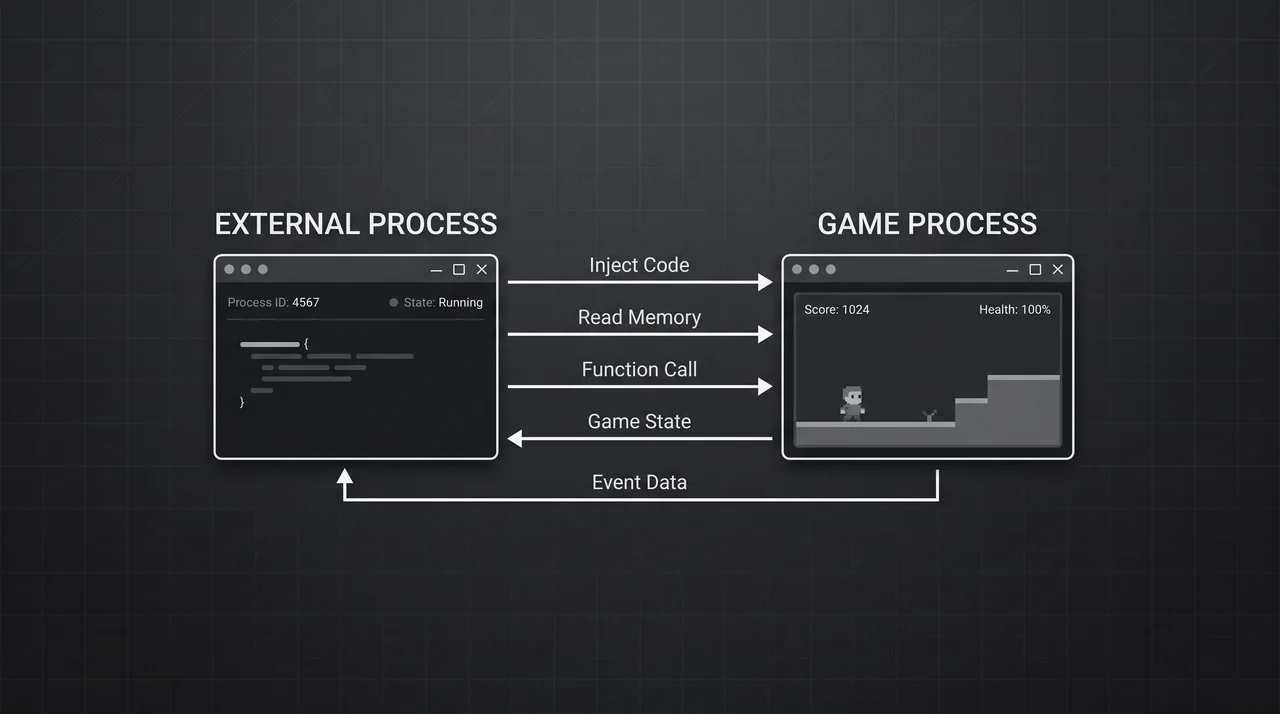
In an external vs internal CS2 comparison, the labels describe where a tool is presented as running relative to the game process. An internal design is described as living inside that process; an external design stays separate and usually presents its own control surface or overlay. That boundary can affect integration, failure isolation, latency, and update work. It does not prove that either design is reliable, secure, low-risk, or well engineered. Those outcomes depend on the implementation, current compatibility, documentation, and operating environment—not one word on a product card.
Two process-boundary models
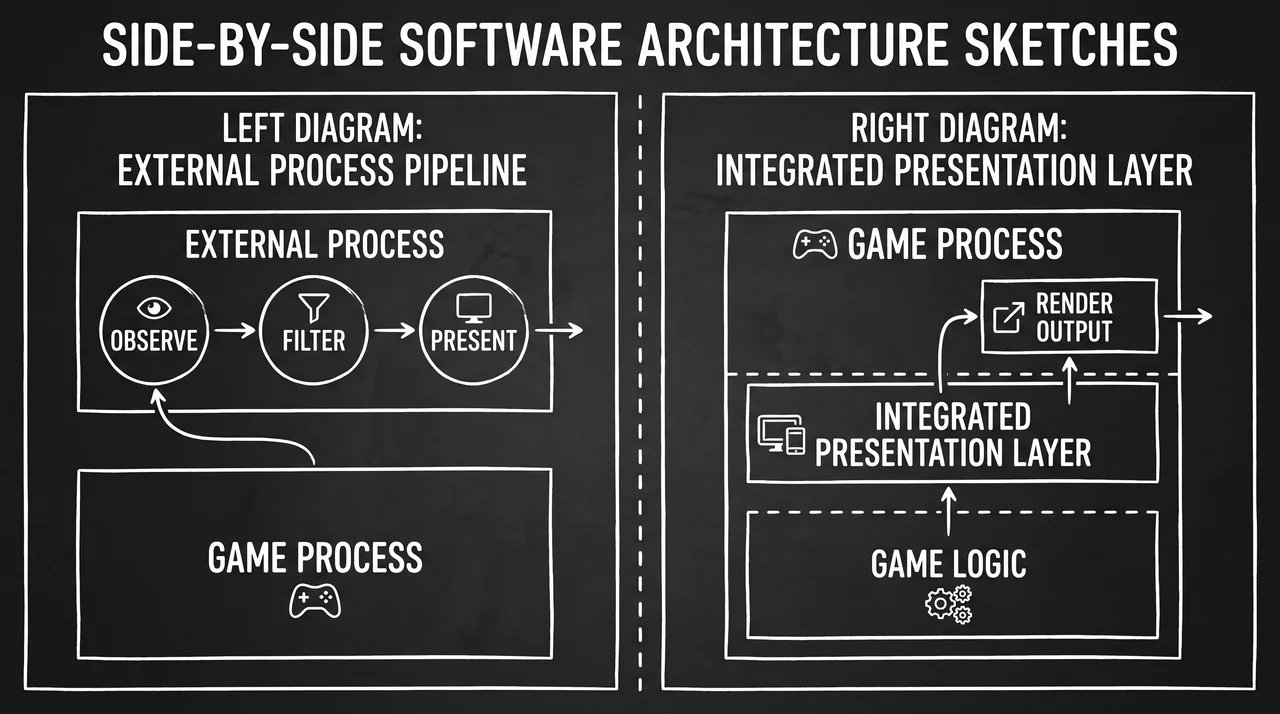
Think of the game as one application boundary. A CS2 internal tool is described as sharing that boundary, so its UI and game-facing behavior may feel tightly integrated. A CS2 external tool is described as another application that coordinates its own interface and presentation beside the game.
That distinction creates different questions. A separate overlay must handle window focus, resolution changes, display scaling, fullscreen modes, and layering. A shared-process design may have fewer visible seams, but a fault can be more tightly coupled to the game session. Neither description tells you how the product actually handles errors.
The useful mental model is not “outside equals safe” or “inside equals fast.” It is “where are the boundaries, and what crosses them?”
A five-stage data-flow model
A neutral pipeline makes the trade-offs easier to discuss:
Observe: notice a relevant game or interface state.
Filter: discard states that do not match the selected rules.
Decide: choose which eligible information gets priority.
Present: render a visual state or expose a control.
Accept input: let the user enable, disable, or change that behavior.
Process location changes how those stages communicate, but it does not change the stages themselves. In a separate-process model, presentation may depend more heavily on overlay coordination and clean window-state handling. In a same-process model, presentation may feel more native while carrying stronger coupling to the running game. This is deliberately high level: a public architecture explanation does not need memory methods, injection details, drivers, or anti-cheat speculation.
Trade-offs that actually matter
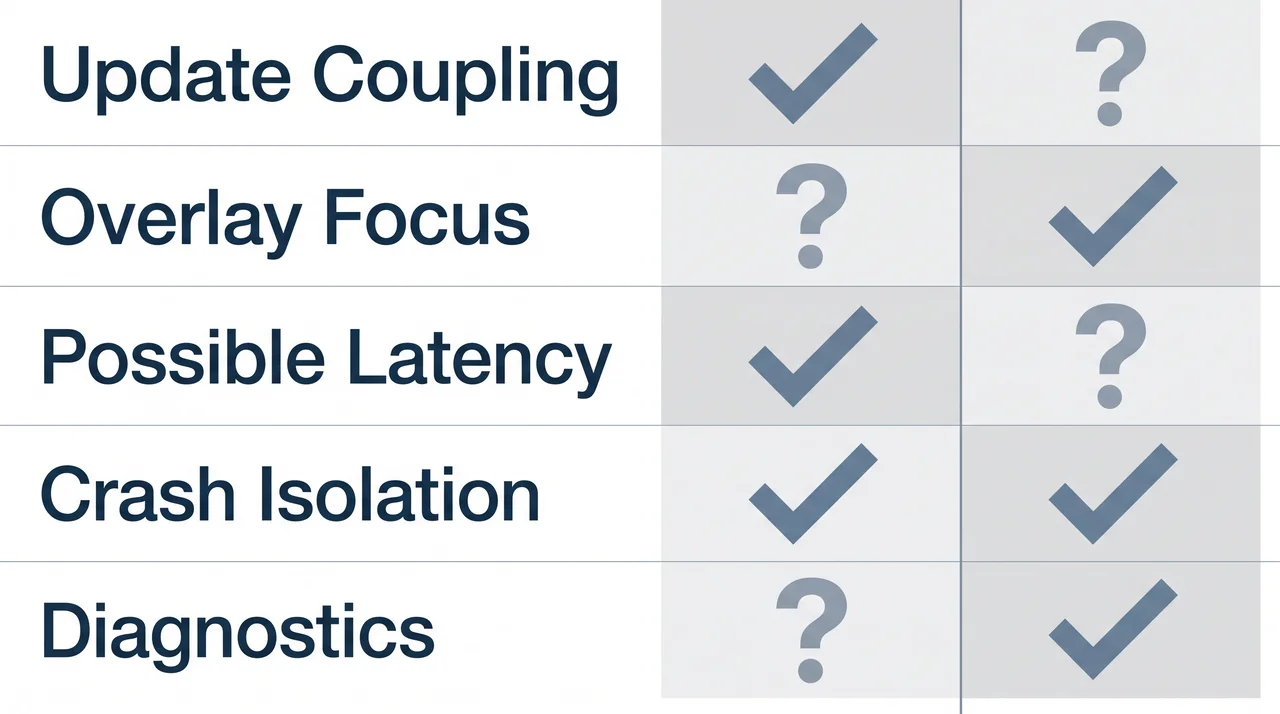
Update coupling is the first practical issue. When CS2 changes, anything that assumes a particular game state may need maintenance. The architecture label alone does not reveal how fast that work happens, whether a partial failure is visible, or whether an update can be rolled back.
UI behavior matters just as much. For an external overlay, check focus switching, scaling, borderless mode, multi-monitor placement, and clean shutdown. For a more integrated UI, ask how errors are surfaced and whether a crash affects the whole session. Possible latency is another trade-off, but “internal is always faster” is too crude: scheduling, rendering, filtering, and general implementation quality all matter.
Diagnostics separate polished software from a sketchy black box. Useful signs include a version number, compatibility status, readable logs, documented controls, and a support path. A label cannot replace those basics.
[ ](CS2 architecture trade-off checklist for external and internal tools)
How to evaluate a product claim
Before treating “external” or “internal” as meaningful, verify:
supported Windows edition, architecture, and display modes;
current game/version compatibility and a dated update status;
plain definitions for each feature instead of hype labels;
real, current screenshots rather than fabricated UI;
documentation for startup, shutdown, configuration, and recovery;
a clear support channel and ownership of failures;
honest risk language with no no-ban or permanent-safety promise.
Architecture gives you the questions, but it does not produce a shortlist by itself. For a separate product-by-product view, this comparison of leading CS2 cheat products can be read using the criteria above rather than as a substitute for them. cluster.center, for example, is publicly positioned as a CS2 External product, but that label should still be tested against documentation and current requirements.
A useful final exercise is to write one failure scenario for each boundary. For a separate process, ask what happens when the game changes resolution or loses focus. For a shared-process model, ask how an interface fault is isolated and reported. Then look for evidence in documentation, screenshots, status messages, and support answers. If the only response is another architecture slogan, the claim has not become more informative.
Record the answer with a date. Compatibility and support behavior can change even when the architecture label stays exactly the same.
Conclusion
The external vs internal CS2 distinction is a map of process boundaries, not a winner screen. Use it to ask sharper questions about coupling, overlays, failure isolation, latency, updates, and support. If a product page cannot answer those questions—or tries to replace them with absolute safety language—the architecture label is doing marketing work, not technical work.
FAQ
Is an external CS2 tool automatically safer?
No. “External” describes a process boundary, not security, detection status, software quality, or account risk.
Does internal always mean lower latency?
No. Process placement can influence communication, but rendering, scheduling, filtering, and implementation quality also shape latency.
Why do game updates affect the two models differently?
Their integration points and coupling differ. Either model may require maintenance when the game, graphics path, or window behavior changes.
Which product-page details matter more than the label?
Current compatibility, feature definitions, real screenshots, diagnostics, documentation, support, and clear risk language matter more than the architecture tag.
About the author
- I talk about game hacking and game cheats. I have been developing game protection—as well as cheats—for over 10 years.
Comments
Join the discussionNo comments yet. Be the first to comment.